Announcements
Decorating the house is no longer an exclusive task for architects or interior designers. Nowadays, thanks to technology, there are applications that put powerful tools in your hands to plan, design and visualize how your home will look before moving a single piece of furniture. From inspiration with photos and catalogs to 3D simulations, apps to decorate the house have become indispensable allies for those who want to transform their space with creativity and practicality.
In this article you will discover how Houzz, Planner 5D and Homestyler they can help you bring your ideas to life. Additionally, we will explore their characteristics, advantages, differences and the way each one adapts to different user styles.
🌟 Why use apps to decorate the house?
Announcements
Before going into detail about each application, it is worth reflecting on the advantages that these digital tools offer:
- Real-time visualization: you can see what your living room, kitchen or bedroom will look like with the changes before you run them.
- Saving money and time: you avoid costly mistakes when purchasing furniture that doesn't fit or wall colors that don't match.
- Unlimited inspiration: you access thousands of ideas, photos and decoration styles from around the world.
- Ease of use: many apps are designed for beginners, without the need for technical design knowledge.
- Cross-platform compatibility: available on Android, iOS and web version, allowing you to design on any device.
🛋️ Houzz: infinite inspiration and integrated purchasing
What Houzz offers
Houzz is one of the most recognized platforms globally when it comes to interior decoration and remodeling. Its main strength is the visual inspiration: It has millions of photographs of real projects uploaded by architects, decorators and community users.
Announcements
In addition to inspiring you, Houzz has one built in online store which allows you to directly buy the products you see in the photos: sofas, lamps, rugs and much more.
👤 For whom it is ideal
Houzz is perfect for those looking for fresh ideas and want to discover real products to take to their spaces. It is also a useful tool for professionals who want to showcase their portfolio and attract clients.
️ Main features
- Library with more than 20 million high-quality photos.
- Advanced filters by style, room, budget and location.
- Integrated store with the possibility of direct purchase.
- Connection with local design and construction professionals.
- Articles and advice on decoration trends.
⭐ Differentials
Houzz's great differential is his combination of inspiration + action: not only does it show you ideas, but it allows you to acquire objects and hire professionals directly from the app.
🎨 User experience
Its design is clean, intuitive and very visual. The app is constantly updated with new photos and collections, ensuring you always find something new.

Houzz à Home Design & Remodel
.4.7🏠 5D Planner: realistic 2D and 3D design
📌 What Planner 5D offers
Planner 5D is an application that focuses on interior and exterior planning and design. Its main attraction is the possibility of creating 2D plans and transforming them into realistic 3D simulations.
With this tool you can design from scratch, choose furniture, colors, materials and even lighting to visualize how each detail will look.
👤 For whom it is ideal
Planner 5D is designed for both amateur and professional users who need a quick and practical tool to show projects to clients.
️ Main features
- Creation of 2D plans with 3D view option.
- Extensive library of furniture, materials and accessories.
- Possibility of customizing dimensions, colors and textures.
- Simulation of natural and artificial light.
- Compatible with computers, tablets and smartphones.
⭐ Differentials
The great differential of Planner 5D is its ability to immersive visualization: You can walk through your project as if you were inside the house, which gives you a realistic perspective of the result.
🎨 User experience
Although it has advanced features, the app maintains a friendly interface. The process of dragging and dropping furniture makes the design easy even for beginners.

5D Planner: AI Home Design
.4.4🪑 Homestyler: play and decorate with augmented reality
What Homestyler offers
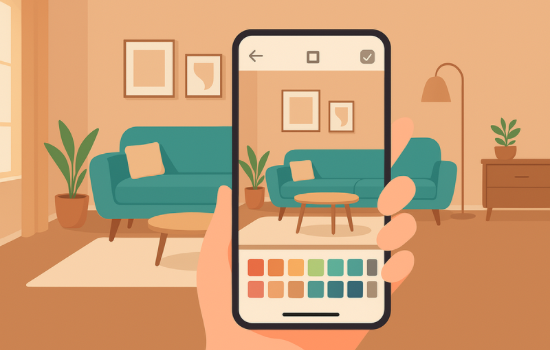
Homestyler combines the best of 3D visualization with augmented reality (AR). You can use your mobile camera to see what the furniture and decorations will look like in your own home in real time.
It is ideal for those who want to experiment with different styles before making purchases.
👤 For whom it is ideal
Homestyler is perfect for creative users who enjoy experimenting. It is also very useful for those who want to make sure a piece of furniture fits into their space before purchasing it.
️ Main features
- Augmented reality to visualize furniture in your real space.
- Library of catalogs of recognized brands.
- 3D interior design with multiple styles.
- Active community where you can share projects and get feedback.
- Design contest function within the app.
⭐ Differentials
The use of AR is the big differential, as it provides a unique interactive experience. You can move furniture in your room with just a few taps on the screen.
🎨 User experience
Homestyler feels like a design video game: fun, dynamic, and with great potential to spark creativity.

Homestyler é Home Design Game
.5📊 Comparison between Houzz, Planner 5D and Homestyler
| Feature | Houzz 🌟 | 5D Planner 🏠 | Homestyler 🪑 |
|---|---|---|---|
| Inspiration | Very high (millions of photos) | Average (limited catalog) | Alta (community and catalogs) |
| Direct purchase | Yes | No | Yes (integrated catalogs) |
| 3d design | Limited | Advanced | Advanced + AR |
| Community | Professionals and users | More focused on design | Active and participatory |
| Level of realism | Medium | Very tall | High (with real-time AR) |
💡 Tips to get the most out of it
- Define a base style (minimalist, rustic, modern) before exploring too many options.
- Use furniture and color libraries to experiment without fear of making mistakes.
- Get inspired by community projects and adapt ideas to your own space.
- Test with AR in Homestyler to avoid unnecessary purchases.
- Combine more than one app: use Houzz to inspire you, Planner 5D to plan, and Homestyler to experiment.
See Also:
- 2026: Revolution in Spain: Productivity for Quality Hours, Not for Overtime
- Productivity in Spain: Record in 30 years, but sustainable in 2026?
- Watch Dramas Anytime for Free on Your Phone
- The Best App to Identify Fish
- The Best Tablets on the Global Market: Definitive Guide
🎯 Conclusion
Decorating the house can be an exciting challenge and, thanks to these applications, more accessible than ever. Houzz, Planner 5D and Homestyler they offer different ways to transform your home: from visual inspiration to detailed planning and augmented reality.
You no longer need to hire an expensive designer or imagine what a room will look like: now you can try, create and transform with just your cell phone. Whether you're looking for ideas, want to plan renovations, or just have fun experimenting, these apps will open up a world of possibilities to make your home the place you've always dreamed of.